
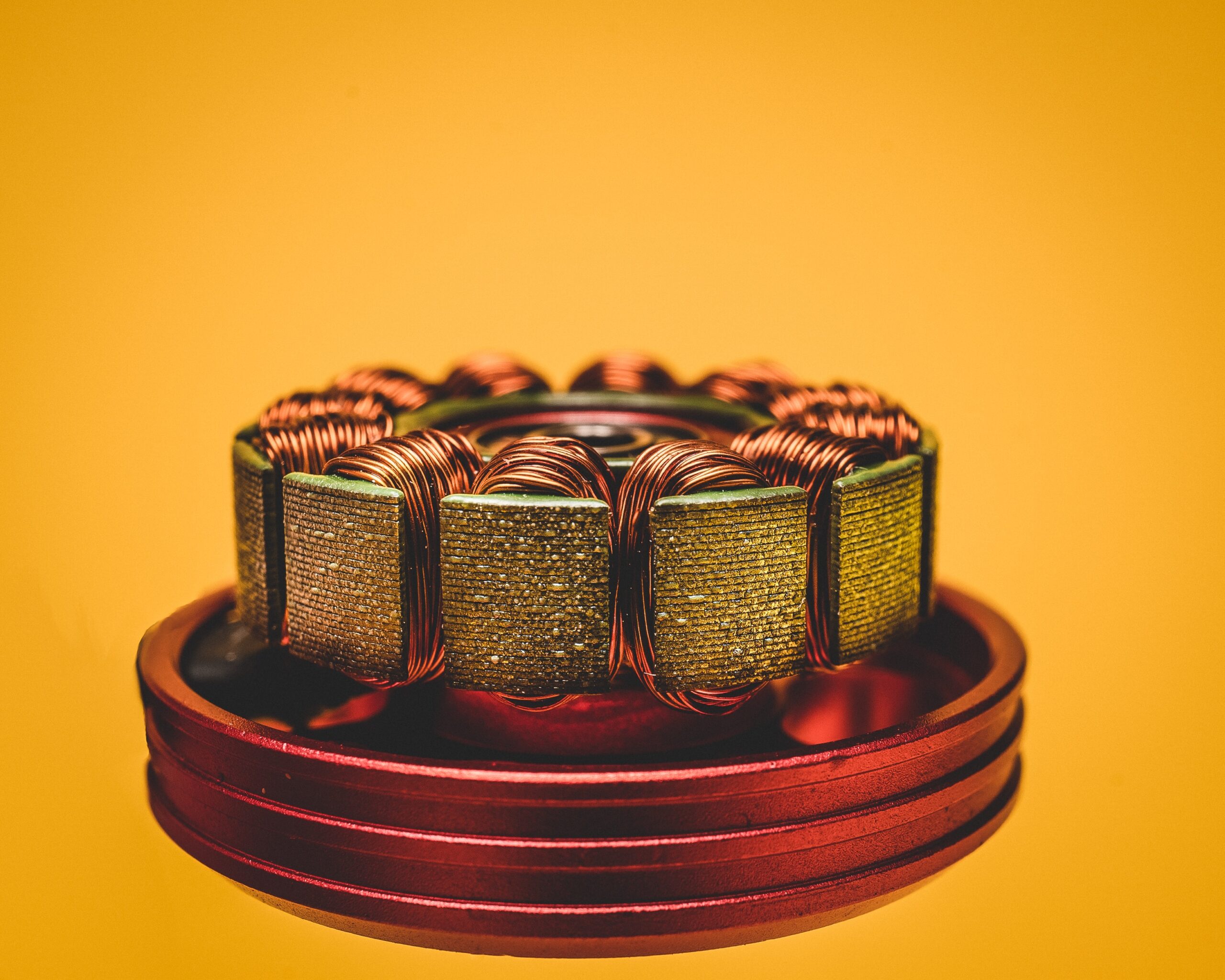
Golf Cart Electric Motor Reset: Which Button Does What and When to Use It
A golf cart electric motor reset is not a single procedure. There are three separate systems that people call a “motor reset,” and they apply to different carts, trip for different reasons, and are accessed in different places.
The first is the thermal overload reset button inside the motor itself, found on series-wound DC motors on older Club Car DS and EZGO TXT carts. The second is a controller reset, which clears a fault state in the speed controller and applies to most carts made after 2000. The third is the Run/Tow switch, which disables the drive circuit when in Tow position and is the most overlooked cause of a cart that suddenly won’t move. This article covers all three, with platform-specific locations and procedures for each.
Last verified: Club Car DS 48V (IQ series-wound motor, 2003 model), EZGO TXT 48V (DCS series-wound motor) | June 2026 | Procedures confirmed against OEM service manuals
Key Takeaways
- The red reset button inside the motor only exists on series-wound DC motors. These are found on older Club Car DS (pre-2004 IQ system models), older EZGO TXT (pre-2010), and older Yamaha G-series. If your cart has an AC induction motor or a newer IQ/RXV platform, there is no motor reset button. Looking for one is a dead end. The correct fix on those platforms is a controller reset or a fault code clear.
- Most cart owners who search for “how to reset the motor” actually have a controller fault, not a motor overload. The speed controller (Curtis, Alltrax, or OEM) stores fault codes and may go into a lockout state after detecting a wiring fault, overcurrent, or overheat. On most platforms the controller resets automatically when the key is cycled off and on. If it does not, the next step is reading the fault code, not replacing the motor or the controller.
- Before opening any cover, check the Run/Tow switch. On Club Car DS and EZGO TXT, this switch is under the seat or on the side of the battery compartment. If it was bumped to Tow during maintenance and not returned to Run, the cart will not move at all. This is the most common explanation for a cart that ran fine yesterday and will not move today. It takes ten seconds to check and is almost always overlooked until after the owner has pulled the motor cover off.
Which System Do You Actually Need to Reset?
Before doing anything else, identify which system is at fault. The symptom and the platform narrow it down.
| Symptom | Most Likely System | Applies To |
|---|---|---|
| Cart ran hard uphill or was overloaded, then stopped and won’t move | Motor thermal overload (red button) | Series-wound DC motors, older Club Car DS and EZGO TXT |
| Cart worked fine, then suddenly won’t move; no noise at all | Run/Tow switch in wrong position | All platforms with a Run/Tow switch |
| Solenoid clicks but motor does not turn | Controller fault or motor fault | All platforms |
| Cart was in storage or maintenance, then won’t move | Run/Tow switch or OBC/controller lockout | All platforms |
| Reduced speed or intermittent power | Controller fault code | Carts with IQ, Curtis, or Alltrax controller |

Reset 1: Motor Thermal Overload Button
The thermal overload reset button is a bimetallic switch inside the motor that trips when the motor winding temperature exceeds a safe threshold. When it trips, it opens the motor circuit completely. The cart will not move, the solenoid may or may not click, and nothing happens when the accelerator is pressed. The motor is not damaged when this trips. It is a protective feature working correctly.
Which Motors Have a Reset Button
Series-wound DC motors on most pre-2004 Club Car DS, pre-2010 EZGO TXT, and Yamaha G-series carts have a reset button. This button is typically red and approximately 1/4 inch in diameter. It protrudes slightly from the motor housing when tripped and sits flush when reset. Some motors have the button recessed and require a small tool (a ballpoint pen tip or small screwdriver) to press it.
AC induction motors (Club Car Precedent 2004 and newer, EZGO RXV) do not have a thermal reset button. Neither do brushless DC motors used in some newer aftermarket conversions. If your cart has an AC motor and you cannot find the reset button, it does not exist on that motor. The issue is in the controller or the drive system, not the motor itself.
Where to Find the Reset Button
Club Car DS (series-wound, pre-2004): The motor is mounted in the rear of the cart under the seat. Remove the rear seat bottom to access the motor compartment. The reset button is on the end of the motor opposite the drive end, typically facing the battery compartment. It is on the commutator end cap. On some models it is labeled; on others it is just a small red protrusion.
EZGO TXT (series-wound, pre-2010): The motor is in the rear compartment under the rear seat. Lift the rear seat to access. The reset button location on EZGO motors is typically on the side of the motor housing rather than the end cap. Look for a small red button on the upper half of the motor body, facing the battery pack.
Yamaha G-series (G2 through G22): The motor is accessible from under the rear of the cart. The reset button is on the motor housing end cap. On early Yamaha G-series motors, the reset button may be white or black rather than red.
How to Reset It
Safety first: Turn the key switch to off and remove the key. Put the cart in neutral. Disconnect the main pack negative cable before touching the motor or any wiring in the motor compartment. Battery pack voltage is present at the motor terminals whenever the pack is connected.
With the pack disconnected, allow the motor to cool for at least 15 to 30 minutes if the cart was recently operated. Pressing the reset button while the motor is still hot will allow it to reset, but the thermal switch will trip again almost immediately once the cart is driven. The motor needs to cool before the reset is meaningful.
Once cooled, press the reset button firmly until you feel or hear it click. If the button is flush with the housing and shows no protrusion, the thermal switch has not tripped and pressing it will do nothing. A tripped button will be visibly raised 1 to 3mm above the housing surface.
Reconnect the pack negative cable, replace any covers, insert the key, and test the cart. If the motor runs normally, the thermal overload was the fault. If it trips again under normal use on level ground without a heavy load, the motor has a winding problem generating excess heat and needs testing or replacement. See the golf cart motor testing guide for the armature and field winding resistance test procedure.
Reset 2: Speed Controller Reset by Platform
The speed controller on most golf carts is the more common source of a “motor reset” call. When the controller detects an out-of-range condition (overcurrent, undervoltage, overheat, throttle fault, or wiring issue) and stores a fault code and may reduce output or shut down the drive circuit entirely. On most platforms, the first step is a simple key cycle. If that does not work, the fault code needs to be read. Note: some older aftermarket Curtis and DPD controllers have a small physical reset button on the controller housing itself. If your cart has an aftermarket controller and you can see a small button on the controller body (not on the motor), press it before attempting the key-cycle procedure below.
Club Car DS IQ Controller Reset
The Club Car DS IQ system (1995 and newer) uses an OBC and a controller that communicate over the cart’s wiring bus. To perform a basic reset: turn the key to off, move the Forward/Reverse switch to neutral, then disconnect the main pack negative cable. Wait 60 seconds. Reconnect the pack negative, then turn the key to on. This forces a full re-initialization of the IQ system and clears most soft faults.
If the cart still does not move after this reset, the IQ controller stores fault codes that can be read without a scan tool. Turn the key to on without pressing the accelerator. The OBC will flash a sequence of LED blinks on the battery indicator. Count the blinks: two short flashes followed by a pause is a different code than three short flashes. The Club Car DS IQ fault code table is in the service manual, section 9. The most common codes after a reset fail are code 1-1 (battery voltage low) and code 2-2 (controller overtemp). Both are conditions, not permanent faults. Address the underlying condition and the code clears automatically.
EZGO TXT DCS and PDS Controller Reset
EZGO TXT carts use either the DCS (Drive Control System) on older 36V models or the PDS (Precision Drive System) on 48V models. Both use Curtis controllers.
Basic reset on both: turn the key off, move the Forward/Reverse switch to neutral, wait 30 seconds, then turn the key back on. The Curtis controller reinitializes on power-up. If the cart drives normally after this, a transient fault was the cause.
If not, the Curtis controller on EZGO TXT carts has a diagnostic LED on the controller body, usually visible through the access panel under the seat. A solid green light means the controller is operational. A flashing sequence indicates a fault code. Count the flashes: one flash repeated is code 1 (throttle fault); three flashes is code 3 (high battery voltage or motor short). The EZGO TXT service manual section on the Curtis 1268 or 1510 controller lists each code.
Yamaha Drive and Drive2 Controller Reset
Yamaha Drive and Drive2 carts use a Yamaha-branded controller that does not have an external diagnostic LED. The basic reset procedure is the same: key off, Forward/Reverse to neutral, wait 30 seconds, key on. If the cart does not respond, the Yamaha Drive controller fault display is on the dashboard meter cluster. Turn the key on without pressing the accelerator. If the meter shows “E” codes or a blinking display, note the exact code before attempting any further reset. Yamaha Drive fault codes are in the service manual under the Drive2 diagnostic section. Code E-11 is a motor temperature fault; code E-13 is a controller overtemp. Both clear once the temperature returns to normal range.
Reset 3: Run/Tow Switch
The Run/Tow switch disconnects the drive circuit to allow the cart to be pushed or towed without back-driving the motor. When in Tow position, the cart will not move under its own power regardless of battery charge, controller status, or motor condition. There is no fault code, no error light, and the solenoid may not even click. It simply does not move. This is the most underdiagnosed cause of a cart that suddenly will not go.
Run/Tow Switch Locations
Club Car DS: Under the driver’s side of the rear seat, on the inside of the battery compartment wall. It is a small rocker or toggle switch labeled Run/Tow or Drive/Maintenance. On some model years it is on the passenger side. It should be in the Run or Drive position for normal operation.
EZGO TXT: Under the passenger side of the rear seat, typically near the battery pack. On older TXT models (pre-2008) the switch is sometimes mounted on the frame near the rear axle rather than inside the seat compartment. It is a small two-position switch. Run is the normal operating position.
Yamaha Drive and Drive2: Under the driver’s seat, on the side of the battery tray. The Yamaha Drive switch is sometimes labeled with a wrench symbol for the maintenance position. Ensure it is in the normal (non-wrench) position before driving.
Check this switch any time a cart was recently serviced, had its batteries replaced, or was pushed manually. Battery installers frequently bump it to Tow to make rolling the cart easier and do not always return it to Run. The cart will then be handed back to the owner who reports that the new batteries did not fix the problem.
When Resetting Does Not Fix the Problem
If all three resets have been performed and the cart still does not move or has reduced power, the fault is in a component rather than a recoverable state. The next diagnostic checks in order:
Solenoid: The solenoid is the large relay that connects the battery pack to the motor circuit when the accelerator is pressed. A failed solenoid will not click at all when the accelerator is depressed, or will click but not pass current. Test the solenoid by jumping the two large terminals with a heavy gauge wire while the key is on and the Forward/Reverse switch is in Forward. If the cart moves when jumped, the solenoid has failed. See the solenoid testing guide for the full procedure.
Motor brushes: Series-wound DC motors have carbon brushes that wear over time. Worn brushes cause intermittent operation, reduced speed, or a complete loss of drive. Minimum brush length before replacement is 1/4 inch on most Club Car DS and EZGO TXT motors. With the pack disconnected, remove the brush access cover on the side of the motor and measure the exposed brush length with a ruler. Brushes shorter than 1/4 inch need replacement before the motor will operate reliably.
Battery pack voltage under load: A pack that reads 48V at rest but collapses to 30V the moment the accelerator is pressed has a failed battery or a severe connection resistance problem. The controller will pull back output or shut down when pack voltage drops below its operating threshold under load. Test individual battery voltages while the accelerator is held down briefly to catch the drop.
Controller replacement threshold: If the controller has a permanent fault code that does not clear with key cycling or the procedures above, and pack voltage and wiring are confirmed good, the controller may need replacement. Curtis and Alltrax controllers can be tested with a handheld programmer (Curtis 1311 handheld for Curtis controllers) that reads live fault codes and parameter settings. This is worth doing before purchasing a replacement controller, since many “failed” controllers are actually responding to an upstream fault in the wiring or pack.
Frequently Asked Questions
Where is the reset button on a golf cart electric motor?
On series-wound DC motors (older Club Car DS, EZGO TXT, Yamaha G-series), the reset button is a small red protrusion on the motor housing, typically on the commutator end cap or the upper side of the motor body. It is only present on carts with series-wound DC motors. Club Car DS with the IQ system (2004 and newer), EZGO RXV, and any cart with an AC induction motor do not have a motor reset button. If you cannot find the button after inspecting the motor housing, your cart likely does not have one.
How do I know if the motor thermal reset has tripped?
The reset button will be visibly raised 1 to 3mm above the motor housing surface. When reset correctly, it sits flush. If the button is flush and the cart still does not move, the thermal overload has not tripped and pressing it will do nothing. The fault is elsewhere. Check the Run/Tow switch and perform a controller reset before assuming the motor itself has failed.
How do I reset a Club Car DS golf cart controller?
Turn the key off, put the Forward/Reverse switch in neutral, and disconnect the main pack negative cable. Wait 60 seconds, then reconnect. Turn the key on without pressing the accelerator. The OBC will re-initialize. If a fault code is present, the battery indicator will flash a sequence. Count the blinks and look up the code in the Club Car DS service manual section 9. Most transient faults clear after this procedure. A code that returns immediately after the reset indicates an active fault condition that needs to be addressed.
My golf cart won’t move but the solenoid clicks. Is it the motor?
A solenoid that clicks but the cart does not move points to one of three faults: the solenoid is clicking but not passing current (internal contact failure), the motor brushes are worn below the minimum length, or there is a break in the heavy gauge wiring between the solenoid and the motor. Check the solenoid first by jumping the two large terminals. If the cart moves when jumped, the solenoid contact has failed. If it still does not move when jumped, measure voltage at the motor terminals while the accelerator is pressed. Full pack voltage at the motor terminals with no movement indicates a failed motor armature.
How often does the motor thermal overload trip?
Occasional tripping under heavy use is normal: long uphill pulls, running at full throttle for extended periods, or overloading the cart beyond its rated capacity. Tripping on flat ground under normal load is not normal. If the reset button trips more than once or twice per season under normal use, the motor has a winding fault that is generating excess heat. The most common cause is a shorted turn in the armature windings. This can be confirmed with an armature resistance test using a multimeter. A motor that trips repeatedly under normal conditions needs testing, not just repeated resetting.
What is the difference between a motor reset and a controller reset?
A motor reset clears the thermal overload switch inside the motor. It only applies to series-wound DC motors and only addresses overheating. A controller reset clears a fault state in the speed controller. It applies to all carts with electronic speed control (IQ, Curtis, Alltrax, Yamaha Drive controller). The two are completely independent. Resetting the motor does nothing to a controller fault, and resetting the controller does nothing to a tripped thermal overload. Diagnose which system has faulted before deciding which reset to perform.
References
Club Car DS Service Manual (2012 edition): IQ system fault codes, OBC reset procedure, motor thermal overload description. Club Car LLC, Augusta, GA.
EZGO TXT Service Manual (2019 edition): DCS and PDS controller diagnostic LED codes, Curtis controller fault table, Run/Tow switch location. Textron Specialized Vehicles, Augusta, GA.
Yamaha Drive2 Service Manual (2020 edition): controller fault codes E-11 and E-13, Run/Tow switch location, motor thermal protection. Yamaha Motor Corporation, USA.
Curtis Instruments Technical Resources: 1268 and 1510 AC controller fault code reference, handheld programmer 1311 usage guide.
About the Author
Chuck Wilson spent decades as a golf cart and small vehicle mechanic before retiring. His shop work covered Club Car, EZGO, and Yamaha platforms across gas and electric drivetrains. He runs GolfCartTips.com in retirement, writing about repairs and maintenance based on jobs he has actually done, not manufacturer talking points. If a procedure is on this site, it has been performed on a real cart.
Last verified on: Club Car DS 48V (IQ series-wound motor, 2003) and EZGO TXT 48V (DCS series-wound), June 2026. Motor thermal overload location and controller reset confirmed against Club Car DS 2012 and EZGO TXT 2019 service manuals.


